
Start with the genre, then add the release identity
A useful genre prompt starts with the asset type and release details, then adds mood, setting, color, texture, typography, and square cover format. The genre gives the model a visual vocabulary, but the title and artist details make the cover feel owned by the release.
For example, rap cover prompts often need stronger shadows, street or portrait cues, and heavier type. Indie prompts can lean into film grain, soft light, and quieter title placement. Electronic prompts often work better with abstract light, chrome, glass, or motion.
- Release format
- Artist and title
- Genre and subgenre
- Mood and setting
- Color palette
- Typography direction
- Square streaming cover layout
Use genre cues without making the cover generic
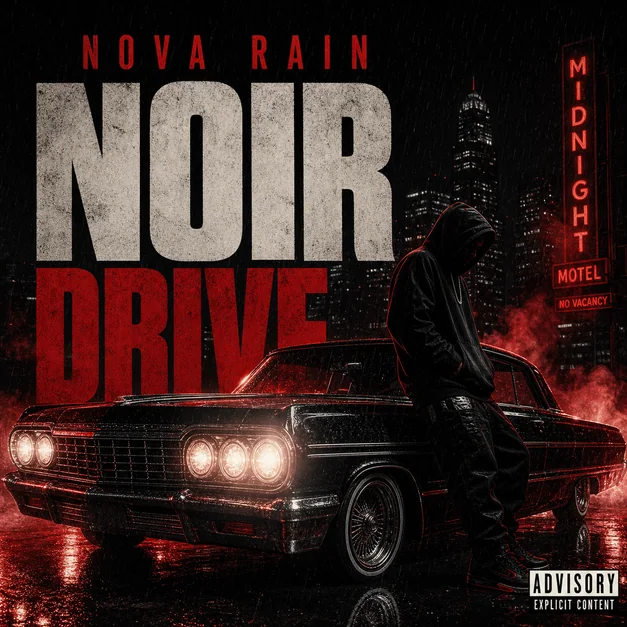
A genre cue should be specific enough to guide the artwork without turning the design into a cliche. Instead of asking for a rap album cover only, add the city, time of day, type treatment, and one memorable symbol.
For softer genres such as R&B, jazz, country, and lo-fi, prompt for lighting, material, atmosphere, and negative space. These details keep the cover readable without making it feel like a generic mood board.
Keep the square crop and thumbnail in the prompt
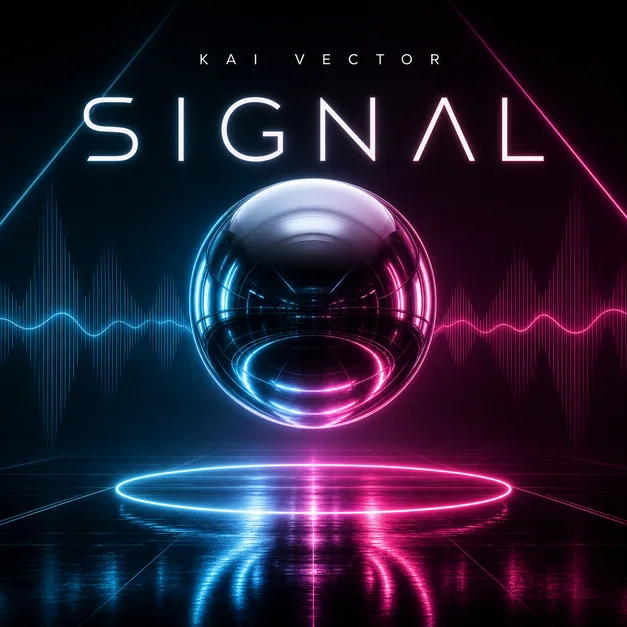
Most release artwork needs to work in a small square preview. Add phrases such as square album cover, streaming artwork, readable thumbnail, or clean title area so the first result is composed for the final surface.
If the generated cover feels too busy, refine with one focused instruction: simplify the background, enlarge the subject, increase title contrast, add negative space, or reduce decorative texture.
Move from prompt example to final cover
Use each prompt as a starting structure rather than a finished brief. Replace the artist, title, color palette, and central image with details from the real release, then generate a few variations.
After choosing a direction, revise the typography, crop, advisory-style label placement, and title area before exporting the final artwork.
Checklist
- Prompt names the genre and release format
- Artist and title details are included
- Visual cues are specific to the track or album
- Square cover format is requested
- Typography or text-free direction is clear
- The result can work as a small streaming thumbnail
Reusable examples
Rap mixtape cover prompt
Use this for cinematic street mood, bold contrast, and a square mixtape layout.
Square rap mixtape cover for NIGHT VAULT, title Cold Signal, midnight city street, chrome title type, dramatic shadows, subtle advisory-style label, high-contrast release artwork.
Indie album cover prompt
Use this for soft film texture, understated title space, and a quiet emotional scene.
Square indie album cover for After the Rain, dreamy 35mm film photo, foggy coastal road, soft blue and amber palette, subtle serif title, quiet release-ready artwork.
Electronic single cover prompt
Use this for abstract light, chrome geometry, and strong thumbnail readability.
Square electronic single cover, abstract chrome sphere, cyan and magenta reflections, clean minimal title area, futuristic club artwork, polished streaming cover.
Minimal R&B cover prompt
Use this for editorial lighting, warm negative space, and elegant typography.
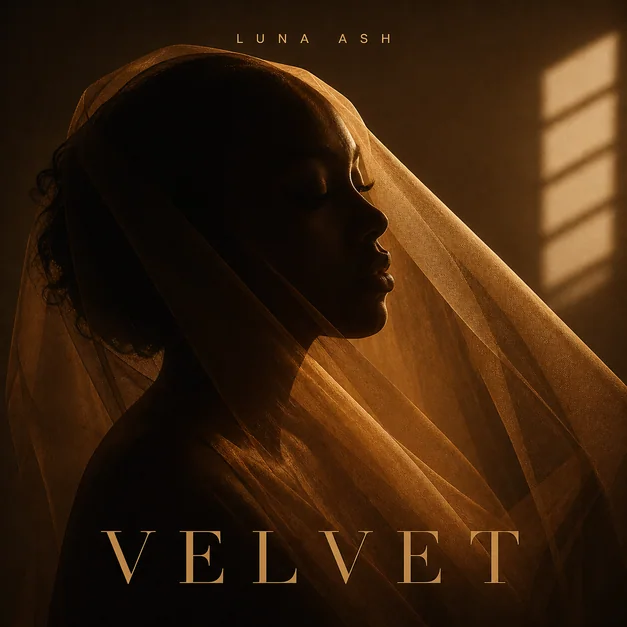
Minimal R&B album cover, warm studio silhouette, sheer amber fabric, elegant negative space, cream and gold palette, refined title placement, smooth release mood.
Metal cover art prompt
Use this for darker symbolic artwork, gothic atmosphere, and an intense centered composition.
Square metal album cover, volcanic cathedral landscape, obsidian ground, moonlight, crimson accents, sharp gothic title at the bottom, powerful thumbnail composition.
Country EP cover prompt
Use this for Americana landscape cues, warm storytelling, and honest EP artwork.
Country EP cover, open field at dusk, weathered pickup truck, acoustic guitar case, farmhouse lights, denim blue and sunset gold palette, clean title placement.
Jazz cover design prompt
Use this for modernist sleeve design, smoky club light, and collectible record-cover energy.
Jazz album cover, abstract saxophone silhouette, smoky blue club light, cream paper texture, geometric shapes, elegant negative space, restrained modernist title.
Lo-fi playlist cover prompt
Use this for cozy study-music mood, soft illustration, and playlist-friendly framing.
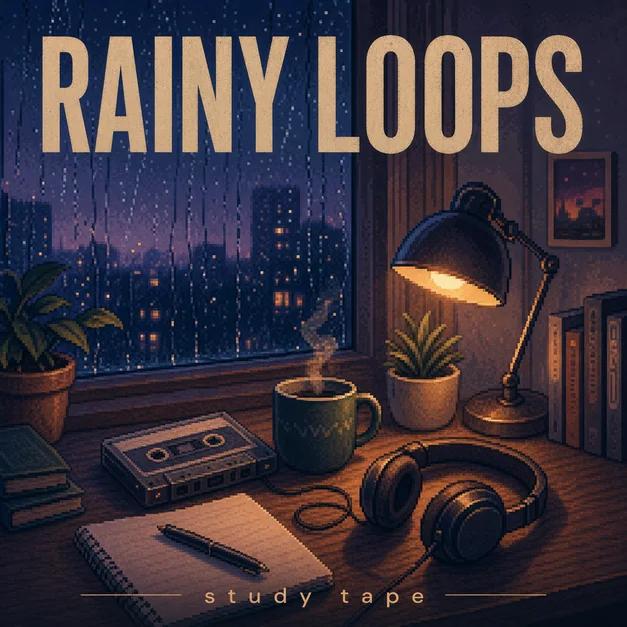
Lo-fi playlist cover, cozy rainy desk at night, cassette tape, headphones, warm lamp glow, teal violet and amber palette, calm title area, square playlist artwork.
Frequently asked questions
Who is this guide for?
Genre is one of the fastest ways to make album cover art feel intentional. Use these prompt structures to turn the sound of a release into square, thumbnail-readable artwork.
What workflow does this guide support?
This guide is designed to help with album cover prompts by genre and connects to the matching Vismuse workflow page for hands-on execution.
Do I need design experience to use this workflow?
No. Start with the guide structure, add the details you already know, and use the matching Vismuse generator to create and refine the visual.