
Publishing covers
AI Book Cover Generator documentation
Use AI Book Cover Generator when the visual needs to sell a title, genre, author promise, or publishing concept in a cover-ready format.
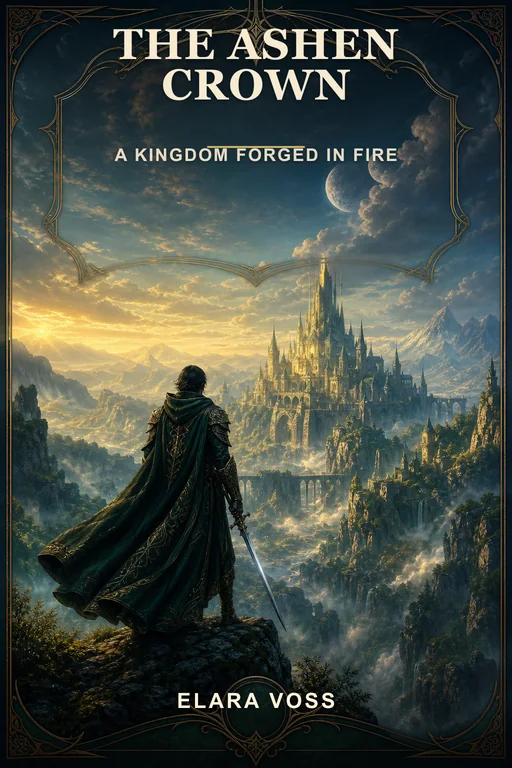
When to use it
Use this workflow for ebook covers, Kindle covers, paperback front covers, audiobook concepts, fiction covers, nonfiction covers, memoirs, poetry books, children's books, and book series visuals.
It is most useful when you know the title, author, genre, and reader expectation, but need a polished cover direction that feels commercially recognizable.
Supported inputs
Start from the book title, author name, subtitle, genre, target reader, tone, visual references, typography style, color palette, and publishing format.
If the book belongs to a series, include the series name, volume number, shared visual motifs, and what should stay consistent across covers.
- Title, subtitle, and author name
- Genre and target reader
- Typography and color direction
- Ebook, paperback, Kindle, or audiobook format
What Vismuse generates
Vismuse generates book cover concepts that can be refined for title hierarchy, genre cues, composition, character or object focus, contrast, and thumbnail readability.
The first draft is a creative direction. Use follow-up prompts to adjust crop, type scale, background, mood, and how strongly the cover signals its genre.
- Ebook cover concepts
- Paperback front cover directions
- Kindle cover ideas
- Series cover systems
Template examples
Book cover templates are useful when you want a proven prompt shape for a genre before writing a full brief. Start from fantasy, romance, thriller, nonfiction, memoir, or children's book examples, then replace the title and audience details.
For self-publishing, test multiple directions quickly: commercial genre cover, minimalist typography cover, character-led cover, and cinematic object-led cover.
- Fantasy and romance cover prompts
- Thriller and mystery cover prompts
- Nonfiction and memoir cover prompts
- Kindle and ebook cover prompts
Workflow
- Describe the book
- Add genre, audience, and title direction
- Generate a cover concept
- Refine title hierarchy, crop, and genre cues
Tips
- Name the genre before describing the scene.
- Keep title and author hierarchy clear enough to read at thumbnail size.
- Avoid asking for too many symbols in one cover; choose one dominant visual idea.
Related resources
- Browse book cover examples — Open remixable book cover prompts for fiction, nonfiction, Kindle, ebook, and self-publishing cover concepts.
- Create a book cover — Start from a blank title brief or remix a cover direction inside the AI Book Cover Generator.