
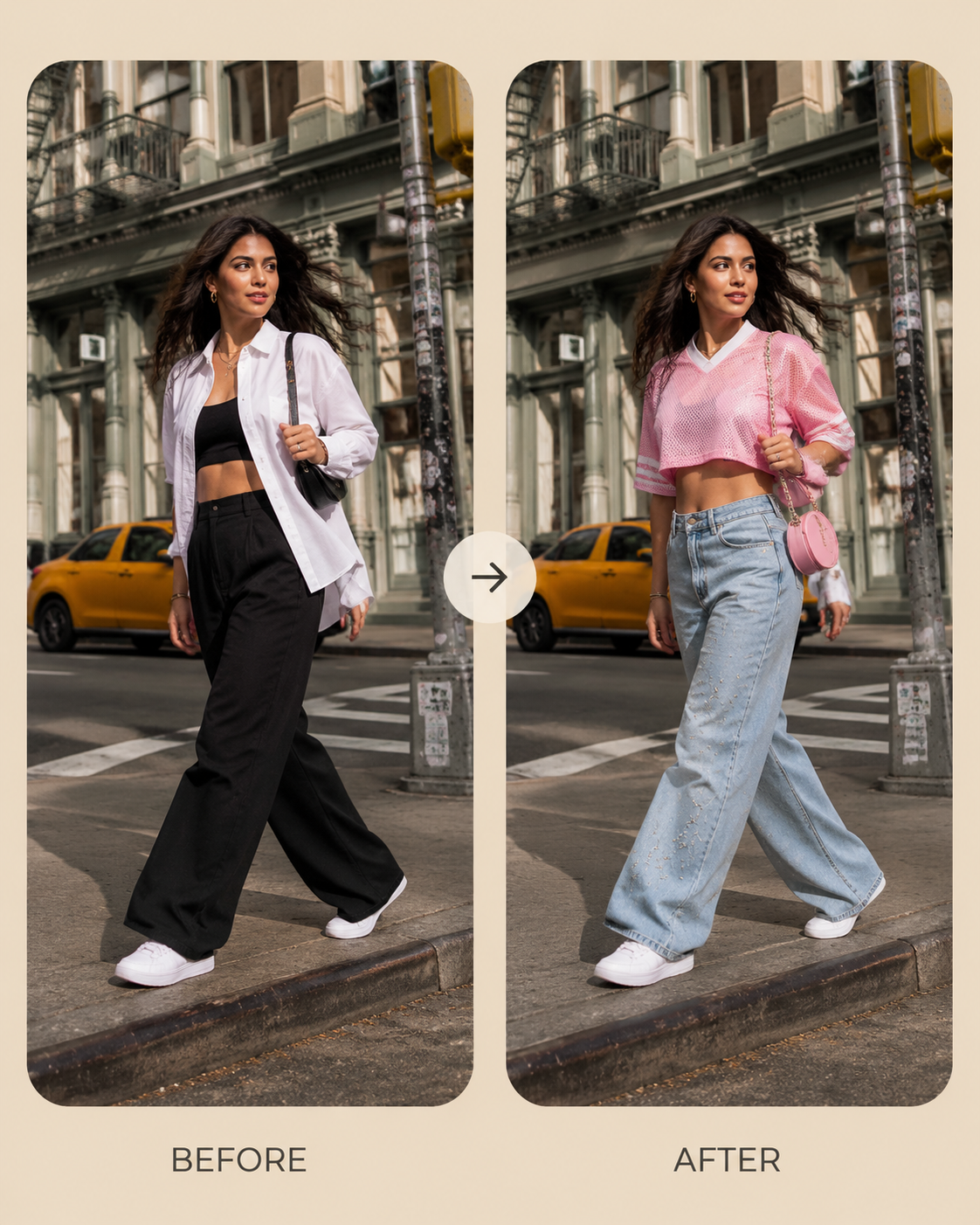
Turn a casual street photo into a playful jersey-and-denim look while preserving the same city background.
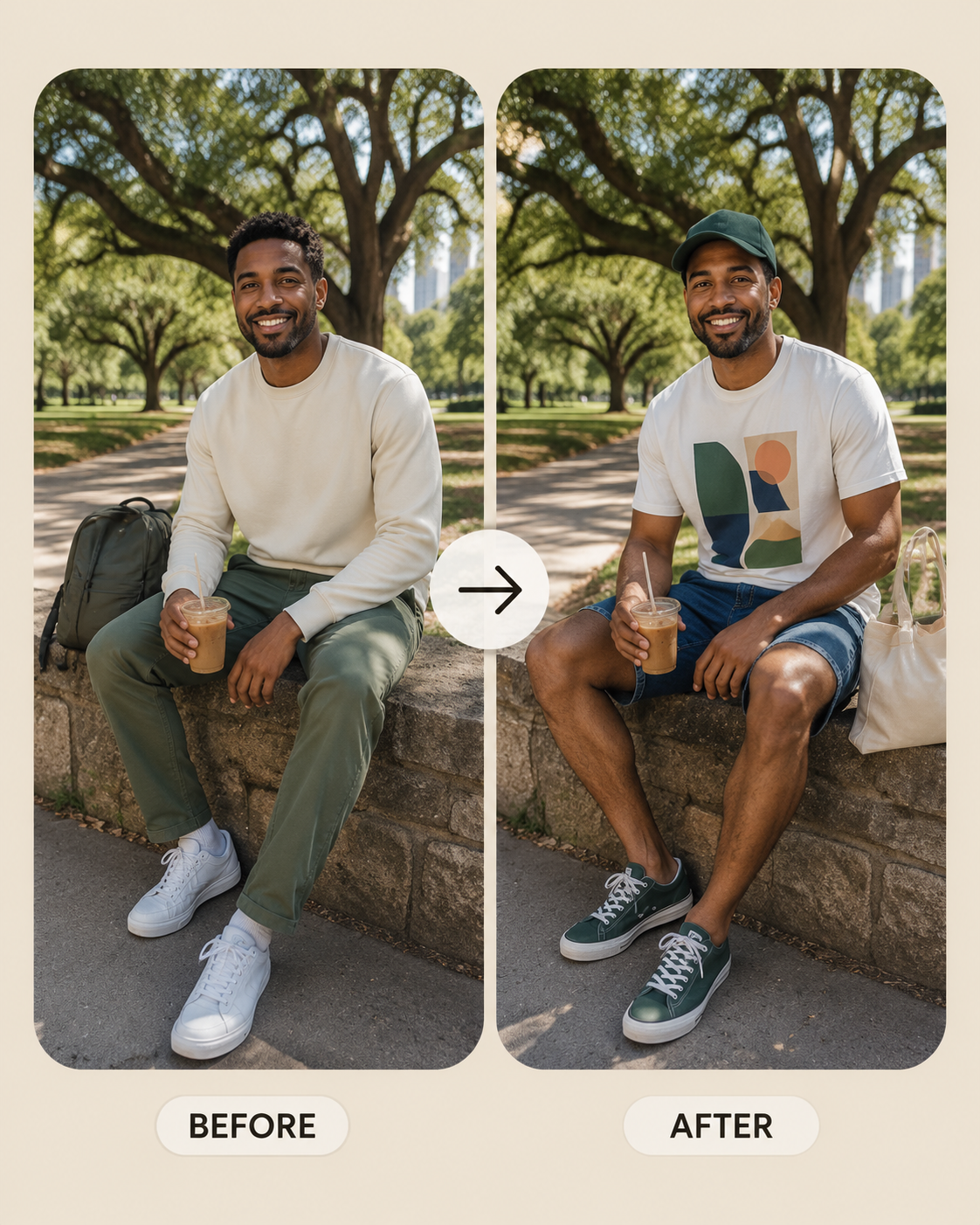
Preview a relaxed park outfit with a graphic tee, shorts, tote bag, and sunny lifestyle styling.
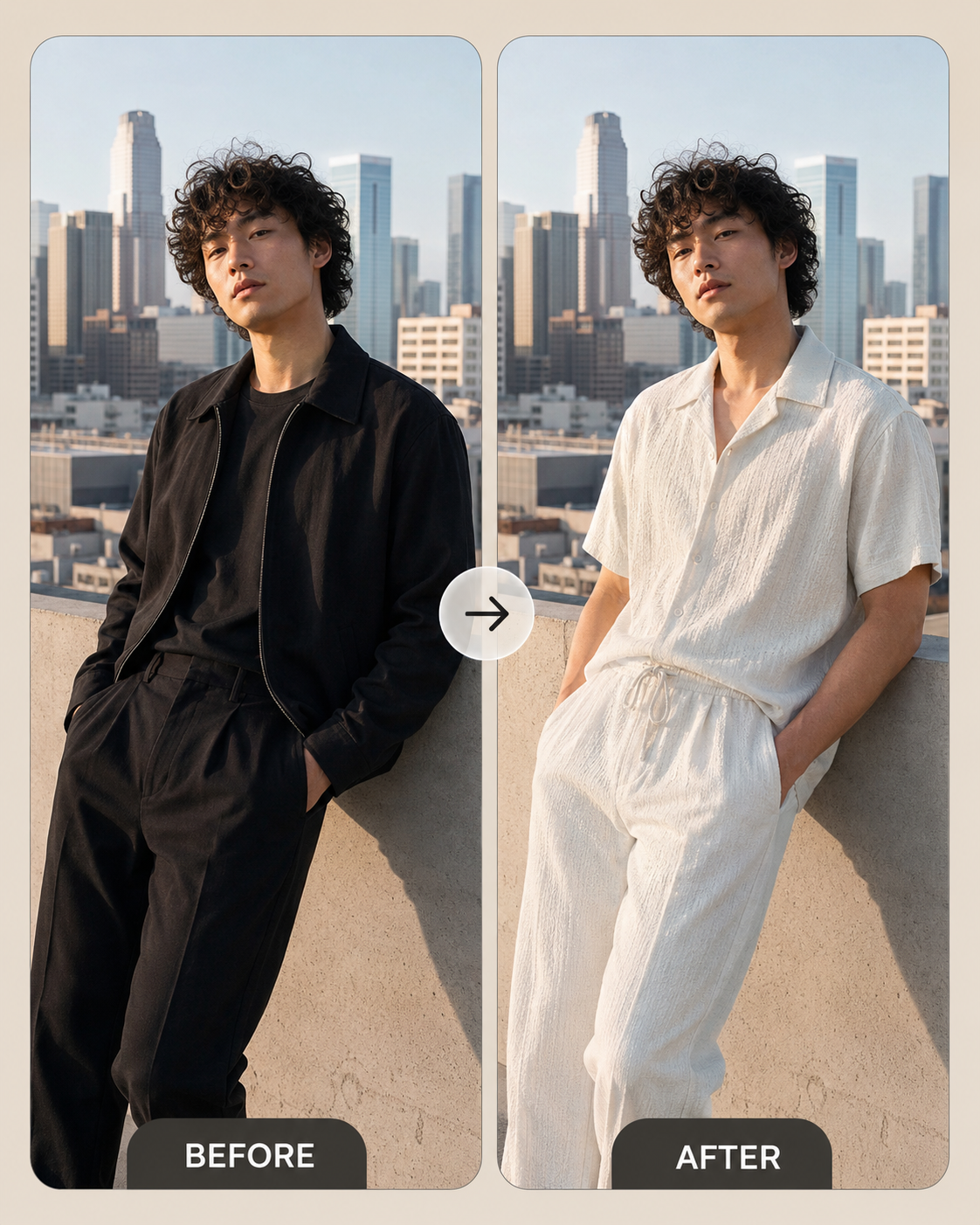
Create a clean studio before-and-after for minimal all-white outfits and editorial try-on previews.
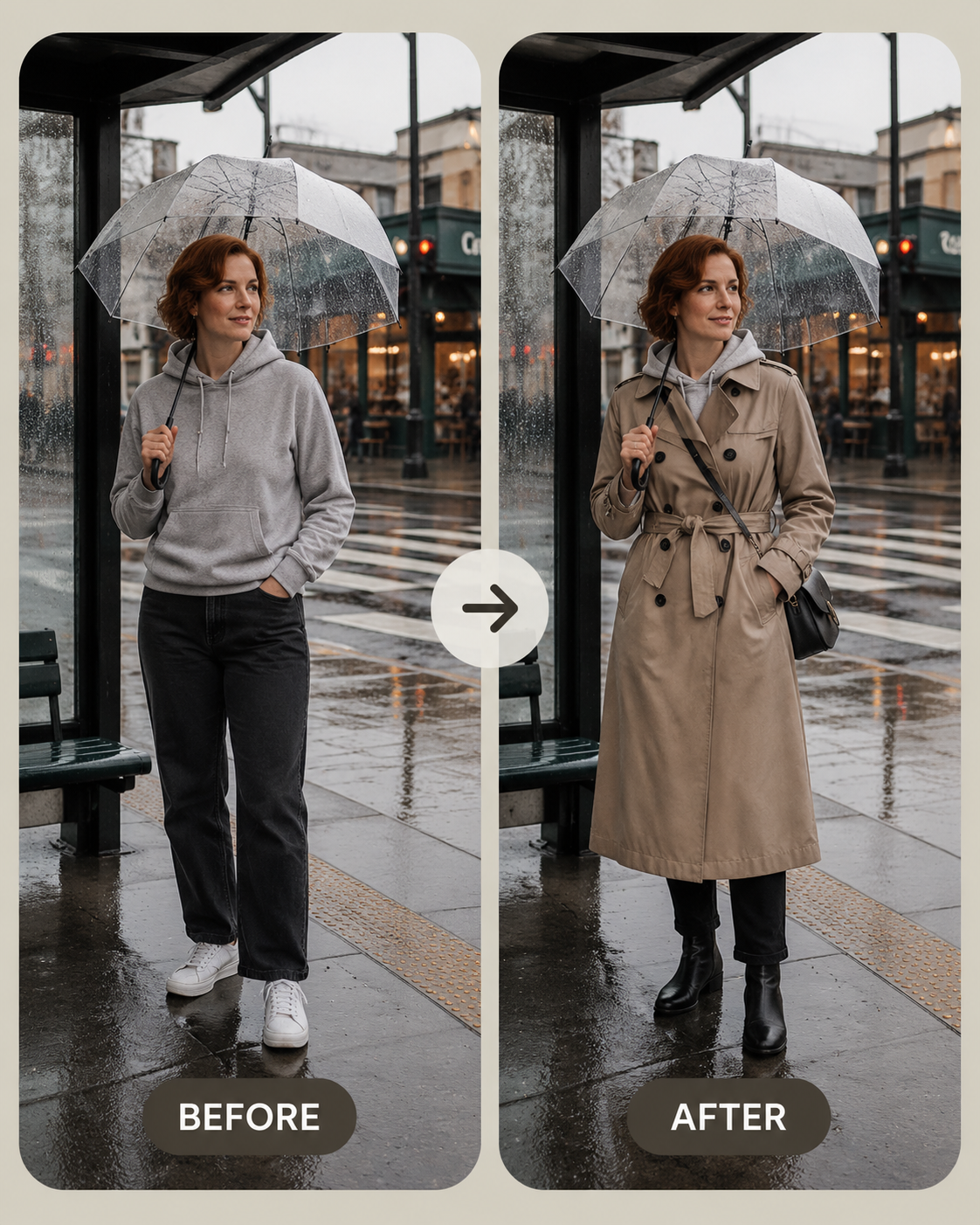
Try on a trench coat for a rainy street commute with wet pavement, umbrella mood, and natural outerwear volume.
When to use it
Use this workflow for virtual try-on previews, shirt changes, dress changes, suit previews, jacket swaps, activewear looks, creator outfits, and fashion ecommerce concepts.
It is best when the goal is a realistic clothing edit on an existing person photo rather than a completely new portrait.
Supported inputs
Upload the person image first, then upload the clothing reference. Add optional notes about fit, fabric, crop, sleeve length, accessories, or whether to preserve the original background.
- Person source photo
- Garment or outfit reference
- Fit and fabric notes
- Background preservation or styling direction
What Vismuse generates
Vismuse generates an outfit-changed image that aims to preserve identity, pose, body geometry, camera angle, lighting, and scene while transferring clothing design, color, texture, and styling.
- Virtual try-on previews
- Outfit swap images
- Fashion concept visuals
- Styled portrait variations
Templates
Start from examples
Use the library when you want a working prompt pattern before writing a new brief from scratch.
Basic workflow
- Upload the person photo
- Upload the clothes reference
- Add optional fit or styling notes
- Generate and refine the outfit change