
VISMUSE
VISMUSE
CreateBoardsAssetsLibrary
0

AI Clothes Changer

Upload a person and a clothing reference to create a realistic outfit change.

Guest creations are only available in this browser. Create an account to get 50 free credits.

Prompt Examples

AI Clothes Changer Prompt Ideas

Keep the pose and swap to the uploaded jacket

Outerwear

Try the uploaded dress on the person, natural studio lighting

Dress

Change to the uploaded shirt, keep the same background

Shirt

Fit the clothing naturally with realistic folds and shadows

Realistic

Recent Creations

View all

Library

View all

How It Works

1

Upload the person

Add a clear half-body or full-body photo. The AI clothes changer keeps the person, pose, lighting, and scene as the source.

2

Upload the clothes

Add the garment reference you want to try on, such as a shirt, dress, jacket, suit, activewear set, or full outfit.

3

Generate the outfit change

Generate a realistic outfit swap with natural fabric folds, fit, shadows, and background preservation.

FAQ

How does the AI clothes changer work?

Upload a person image first, then upload a clothing reference. The generator uses the first image for the person, pose, and scene, and the second image for the garment design, fabric, color, and styling.

Can I change a shirt, dress, suit, or full outfit?

Yes. You can use it as a shirt changer, dress changer, suit photo editor, jacket try-on, activewear preview, or full outfit swap. Clear garment references usually produce the most reliable result.

Can I add extra prompt instructions?

Yes. The text field is optional, but you can add notes about fit, sleeve length, color matching, fabric texture, accessories, crop, or whether to preserve the original background.

What images work best?

Use a clear person photo with one visible subject, good lighting, and an unobstructed outfit area. For the garment reference, use a front-facing image where the clothing shape, color, and texture are easy to see.

Can ecommerce teams use it for product photos?

Yes. Fashion sellers can create virtual try-on previews, lifestyle outfit examples, social ads, and product concept visuals before booking a full photoshoot. Review final details before publishing commercial assets.

Docs

View all
AI Clothes ChangerLearn how to use Vismuse AI Clothes Changer for realistic outfit swaps, virtual try-on previews, shirt changes, dress changes, suits, jackets, and ecommerce fashion concepts.Read documentationTemplates and LibraryLearn how to use the Vismuse library for visual templates, prompt examples, starter ideas, and faster generator workflows.Read documentationAI Image MakerLearn how to use Vismuse AI Image Maker to create images, posters, profile visuals, product concepts, and custom graphics from prompts and references.Read documentation

AI Clothes Changer Workflow and Prompt Guide

Change clothes in photos, preview virtual try-on results, and create realistic outfit swap examples for personal styling, ecommerce, and social content.

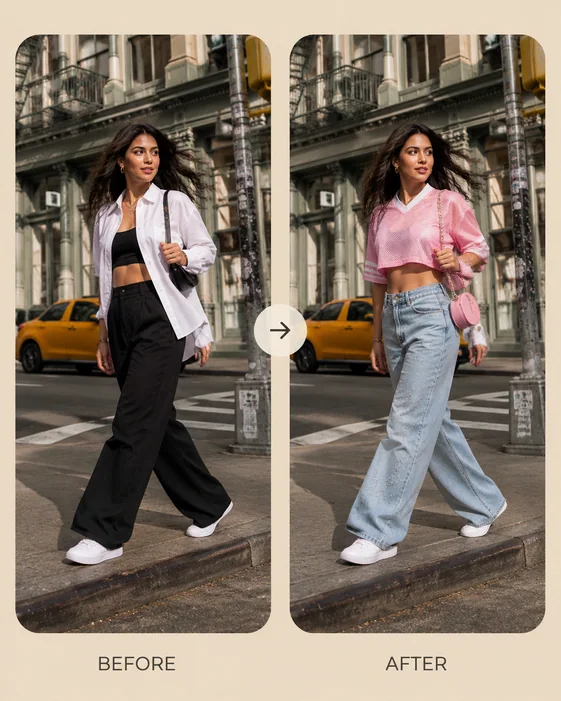
AI clothes changer before and after streetwear outfit swap

AI clothes changer online for realistic virtual try-on

Use Vismuse as an AI clothes changer online when you want to preview a new outfit on an existing person photo. Upload the person image, upload a garment reference, and create a realistic virtual try-on without rebuilding the whole scene from scratch.

The workflow is built for outfit swap edits that should preserve identity, body proportions, pose, lighting, and background while changing the clothing style.
Browse clothes changer examples
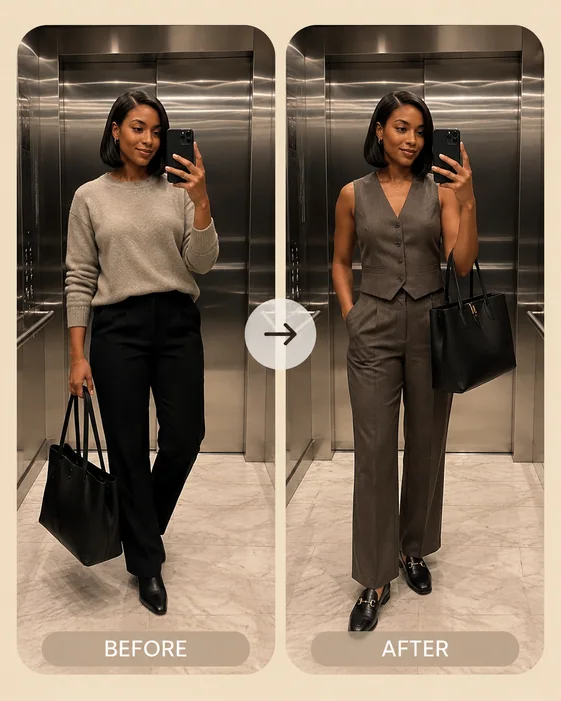
AI outfit changer workwear and suit photo editor example

Change shirts, dresses, suits, jackets, and activewear

Use the same generator for common clothing edits: change shirt in photo, try on a dress, preview a suit, swap a jacket, test denim layering, or turn a casual photo into a polished workwear look.

For better results, describe the garment type, fit, sleeve length, color, fabric, and accessories. Phrases like relaxed linen shirt, structured blazer, cropped sports jersey, or khaki trench coat give the model a clearer fashion target.
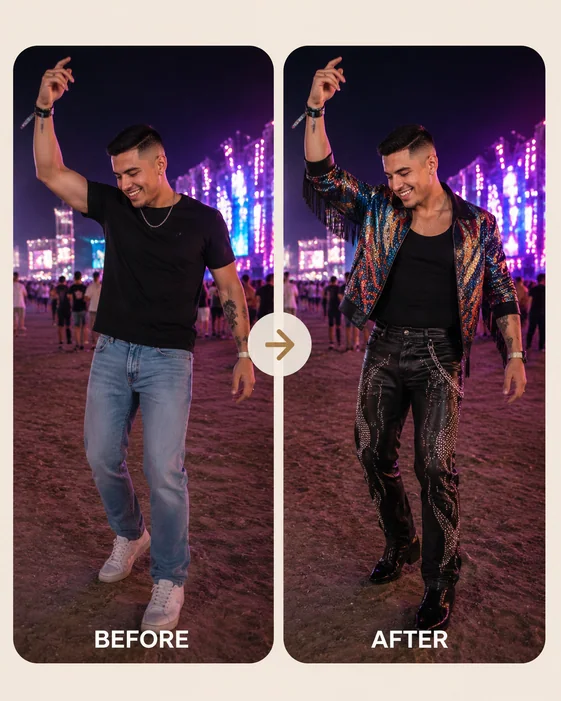
AI outfit swap for lifestyle and festival fashion photo

Outfit swap prompts for lifestyle and social photos

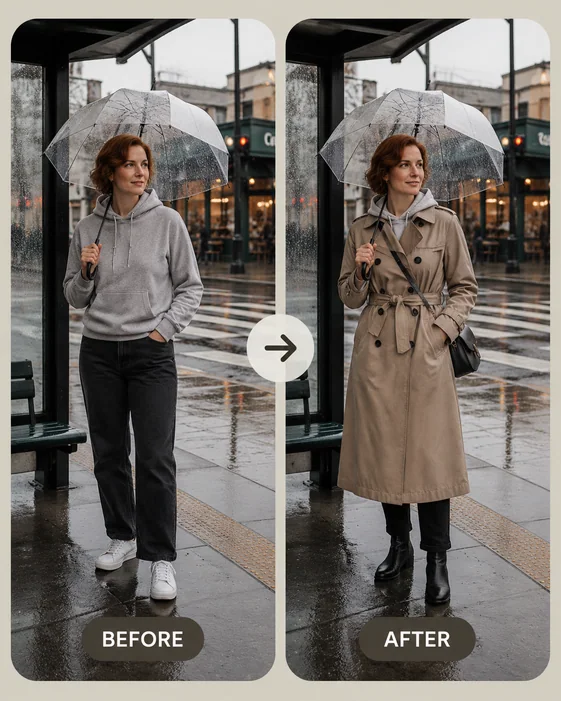
AI outfit changer prompts work best when they mention the real context of the photo. A rainy commute, beach boardwalk, campus bike ride, gym stretch, cafe seat, or festival night scene gives the outfit more believable lighting and styling cues.

Keep your prompt focused on the clothing result. Ask for realistic folds, matching shadows, natural occlusion, and the same face, pose, and background.
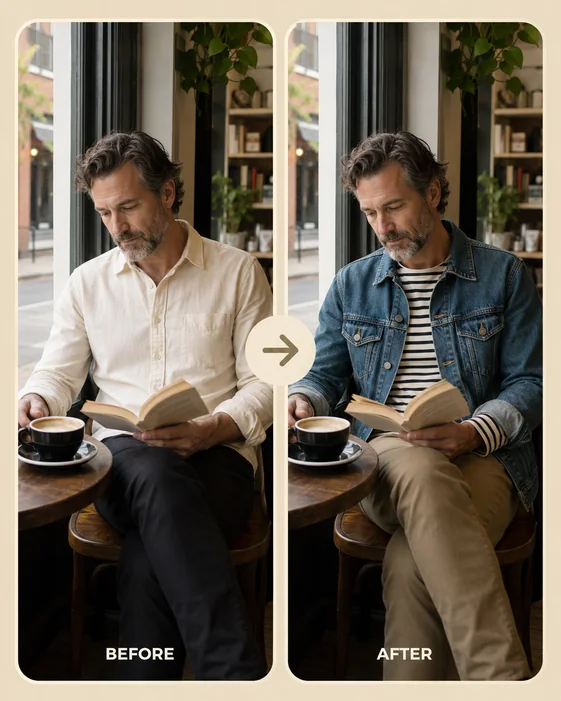
AI clothes changer ecommerce fashion preview with denim jacket

Fashion ecommerce and product visual previews

Fashion brands, marketplace sellers, stylists, and creators can use AI clothes swap examples to explore product visuals before a full photoshoot. It is useful for ecommerce listing ideas, lookbook directions, social ads, and campaign concepting.

Use clean garment references and review the final image for fit accuracy, logos, seams, hands, and fabric details before using it in public-facing materials.
Create product adsCreate personal images
AI clothes swap with preserved person pose and rainy street background

Best photo inputs for a clean clothing swap

For the person photo, choose a single subject with visible shoulders, torso, arms, and legs when possible. Avoid heavy occlusion, extreme blur, tiny full-body crops, and complex overlapping garments.

For the clothing image, choose a front-facing garment or model reference with clear fabric texture and silhouette. The more visible the cut, color, and material, the easier it is for the AI clothes changer to preserve realistic fit.

Explore other Vismuse tools

Browse all
AI Image MakerCreate any visual from a prompt, link, idea, or reference.Product Ad GeneratorGenerate ecommerce product shots and ad creatives.Background RemoverRemove image backgrounds for clean cutouts and product visuals.AI Logo GeneratorCreate logos, brand marks, badges, and app icons.AI Album Cover GeneratorDesign album covers, mixtape art, and playlist visuals.AI Book Cover GeneratorCreate ebook, Kindle, paperback, and genre cover concepts.AI Flyer GeneratorTurn events, offers, and listings into polished flyers.AI Poster MakerCreate event posters, sale posters, launch graphics, and announcements.Invitation MakerCreate birthday invitations, party invites, wedding cards, and event cards.Business Card MakerGenerate print-ready front-and-back business card layouts.Tattoo GeneratorCreate tattoo concepts, stencil ideas, and sleeve layouts.AI Personal Image GeneratorGenerate headshots, profile pictures, outfits, and looks.AI Sticker GeneratorCreate stickers, reactions, mascots, and sticker sheets.AI Wallpaper GeneratorGenerate phone wallpapers, lock screens, and desktop art.
© 2026 Vismuse·Terms·Privacy··Feedback