TemplatesFlyersParty flyers

Flyer Templates

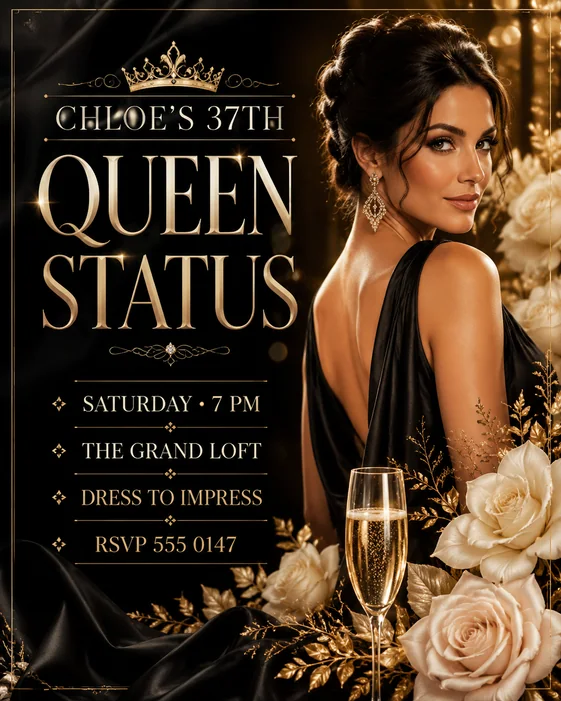
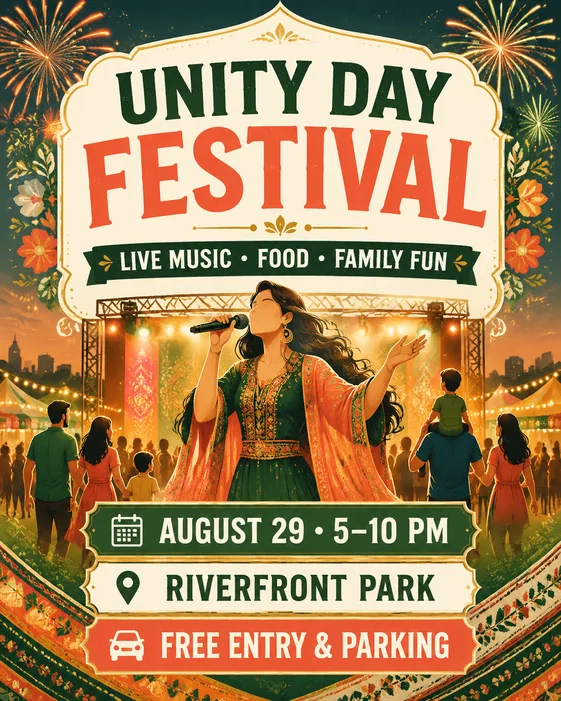
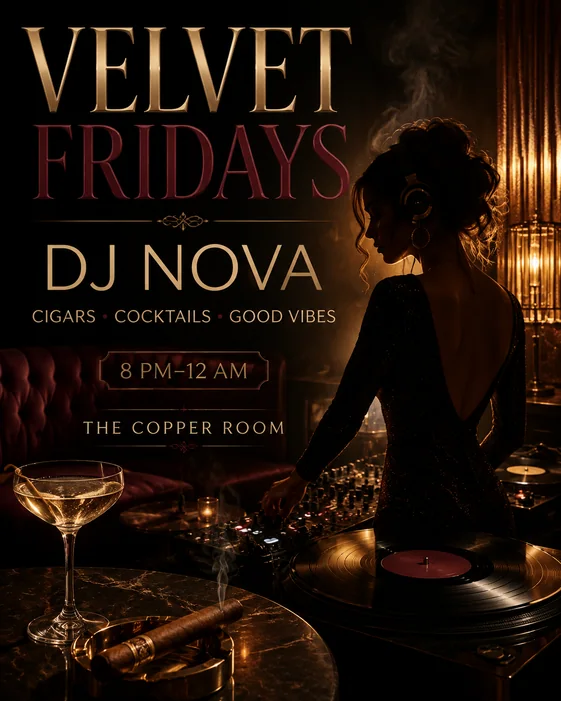
Party flyer templates for club nights, birthdays, and events

Create party flyers that sell the vibe first while keeping the event name, date, venue, lineup, RSVP, and CTA readable.

PartyClubEvent

Template Gallery

Choose a starting point for party flyers

Promote a party, club night, birthday, music event, or social gathering. Each template opens the AI Flyer Generator with a more specific starter prompt.

Matching Maker Path

Connect this template page to the matching maker brief

This template category supports party flyer maker. Use the maker brief when the searcher needs planning guidance, and open the generator when the brief is ready.

Template intent

Party flyers

Keep this page focused on visual starting points, reusable prompts, and template examples for the same flyer search instead of competing with the maker brief.

Template search answer support

A party flyer maker page should answer birthday party, club night, block party, private invite, and nightlife searches with the event vibe, host, date, venue, RSVP or ticket CTA, and a readable mobile-first layout.

Details the maker page answers

These details keep the template page aligned with the matching flyer search instead of competing with the maker brief.

  • Party name
  • Date and venue
  • Host or lineup
  • Theme or dress code
  • RSVP or ticket CTA

Template formats to support

Use these formats when adapting template prompts for the same search intent.

  • 4:5 for feeds
  • 9:16 for stories
  • Letter size for venue and neighborhood posters

Nearby support pages

Link into these pages when the template intent is close but the flyer job needs a different audience, venue, or CTA.

  • Birthday Flyer Maker: Find birthday flyer ideas, templates, or a fast way to make a birthday party flyer.
  • Club Flyer Maker: Find a club flyer maker or nightclub flyer example for a party or DJ event.
  • Event Flyer Maker: Find event flyer examples, templates, or a fast way to create a registration flyer.
  • Concert Flyer Maker: Find concert flyer examples or quickly make a music event flyer with artist and venue details.

How-To Support

Plan the flyer before opening the template prompt

This guide gives the matching search intent a planning page with copy hierarchy, format advice, and a reusable AI prompt before users generate the final flyer.

Party flyer workflow

How to make a party flyer

Support party, club night, nightlife, and event-promo flyer intent with a focused guide.

Template Strategy

Use the template as a campaign brief

A useful template page helps you choose a design direction first. Vismuse keeps that guidance, then turns the choice into a generated flyer draft you can keep revising.

How to choose party flyer templates

Start with the job the flyer needs to do: promote a party, club night, birthday, music event, or social gathering. A useful template should make the main headline, supporting details, and next action obvious before style gets in the way.

  • Use one primary headline instead of several competing messages
  • Reserve clear space for date, venue, offer, price, contact, or QR code details
  • Pick the format first: square post, 4:5 feed, 9:16 story, letter, A4, or postcard

Make party flyers with AI instead of editing from blank

Traditional template sites ask you to pick a design and manually replace text. Vismuse starts from the same template intent, but turns it into a structured AI prompt you can regenerate, revise, and adapt for different campaign formats.

  • Open a starter prompt from any template card
  • Replace the sample details with your campaign, event, business, or listing
  • Ask for alternate hierarchy, cleaner typography, stronger contrast, or a new visual style

Planning Details

What to include before generating party flyers

A strong flyer template is more than a visual style. It needs the right copy, format, hierarchy, and action step before the design starts.

Copy checklist

For party flyers, write the main promise first, then add the exact details that make the flyer actionable: date, time, location, price, phone number, website, RSVP, QR code, or booking link.

Layout direction

Keep one dominant headline, one supporting visual area, one details block, and one CTA. If every element competes for attention, the flyer will look busy even when the design style is strong.

Best formats

Use square or 4:5 for social feeds, 9:16 for stories, and letter or A4 for printable flyers. Mention the format in the prompt so the generated layout protects text space.

Prompt angle

Anchor the prompt around the real job: promote a party, club night, birthday, music event, or social gathering. Then add audience, tone, brand colors, image style, and the final action you want viewers to take.

Start from the specific job

Use the page intent to anchor the flyer around one clear outcome before choosing decoration or style.

Replace the exact details

Add the headline, date, location, offer, contact details, brand name, and CTA the flyer must include.

Generate more variants

Use the starter prompt, then ask for a cleaner hierarchy, alternate crop, stronger contrast, or new style.

Related Flyer Types

Explore nearby flyer types when your campaign could fit more than one use case or distribution format.

FAQ

Questions about party flyers

What should I include in party flyers?

Include the main headline, audience, required details, final format, brand or mood direction, and one call to action. For this page, the core intent is to promote a party, club night, birthday, music event, or social gathering.

Can I use these party flyers as AI prompts?

Yes. Each template card opens the AI Flyer Generator with a starter prompt. Replace the placeholder details, add your own copy, and revise the generated result for layout, color, image style, and CTA emphasis.

What format works best for party flyers?

Use 4:5 or square for social feeds, 9:16 for stories, and letter or A4 for print. Mention the format in the prompt so the layout leaves enough space for readable text and contact details.

How are Vismuse flyer templates different from static templates?

A static template gives you one layout to edit. Vismuse turns the template into an AI creative brief, so you can generate variations, upload references, change the visual mood, and refine the flyer without rebuilding from scratch.

Make party flyers from your own brief

Open the generator with a structured prompt, then replace the sample details with your campaign, event, offer, or listing.

Open AI Flyer Generator