Vismuse
AI Video GeneratorCreate short AI videos from prompts, references, and briefs.AI Flyer GeneratorTurn events, offers, and listings into flyers.AI Brochure GeneratorStructure company, product, and service content into brochures.AI Album Cover GeneratorDesign album covers, mixtape art, and single artwork.AI Image MakerCreate any image from a prompt, link, or reference.Product Ad GeneratorGenerate product promo images and ad creatives.AI Room DesignUpload a room photo and redesign interiors with AI.Background RemoverRemove backgrounds for clean cutouts and product images.Business Card MakerCreate print-ready front and back business card designs.AI Logo GeneratorCreate logo concepts, brand marks, badges, and monograms.Tattoo GeneratorCreate tattoo concepts, stencil ideas, flash art, and sleeve layouts.AI Poster MakerCreate posters for events, product promotions, movies, lost-and-found notices, and more.Invitation MakerCreate birthday invitations, party invites, and event cards.AI Book Cover GeneratorCreate ebook, Kindle, and paperback cover concepts.AI Sticker GeneratorCreate stickers, reactions, and sticker sheets.AI Wallpaper GeneratorGenerate phone and desktop wallpapers.
AI VideoToolsTemplatesResourcesPricing

GOOGLE’S NEXT IMAGE UPDATE

Nano Banana 2.1
AI Image Generator

Your idea. A sharper visual.

Explore image generation and editing for bold posters, product photos, and reference-led creations. Find a direction below, then bring your brief into Vismuse AI Image Maker.

Open AI Image MakerExplore examples

Start with a prompt or your own photo. Generation uses credits.

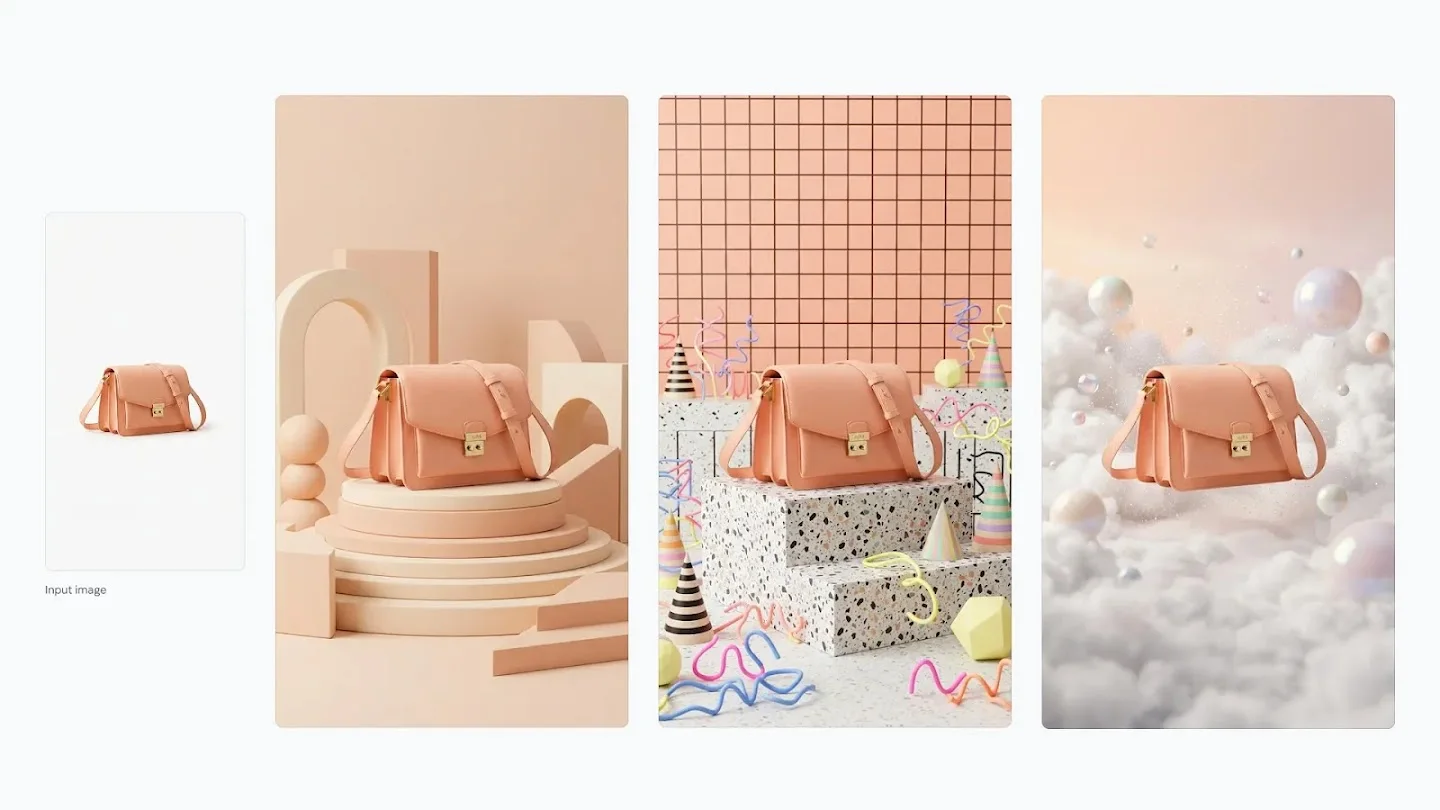
Official Google DeepMind example: one peach handbag reimagined in three distinct creative product settings
One reference, different creative directions. Official Google DeepMind example.
A NEW SETTING. THE SAME SUBJECT.
Text-to-image ideasReference-led editingPrompts ready to try

SEE THE POSSIBILITIES

Nano Banana 2.1 examples and prompts

Explore Google’s official examples, then try an original Vismuse prompt inspired by each direction. These images are Google examples, not results generated in Vismuse.

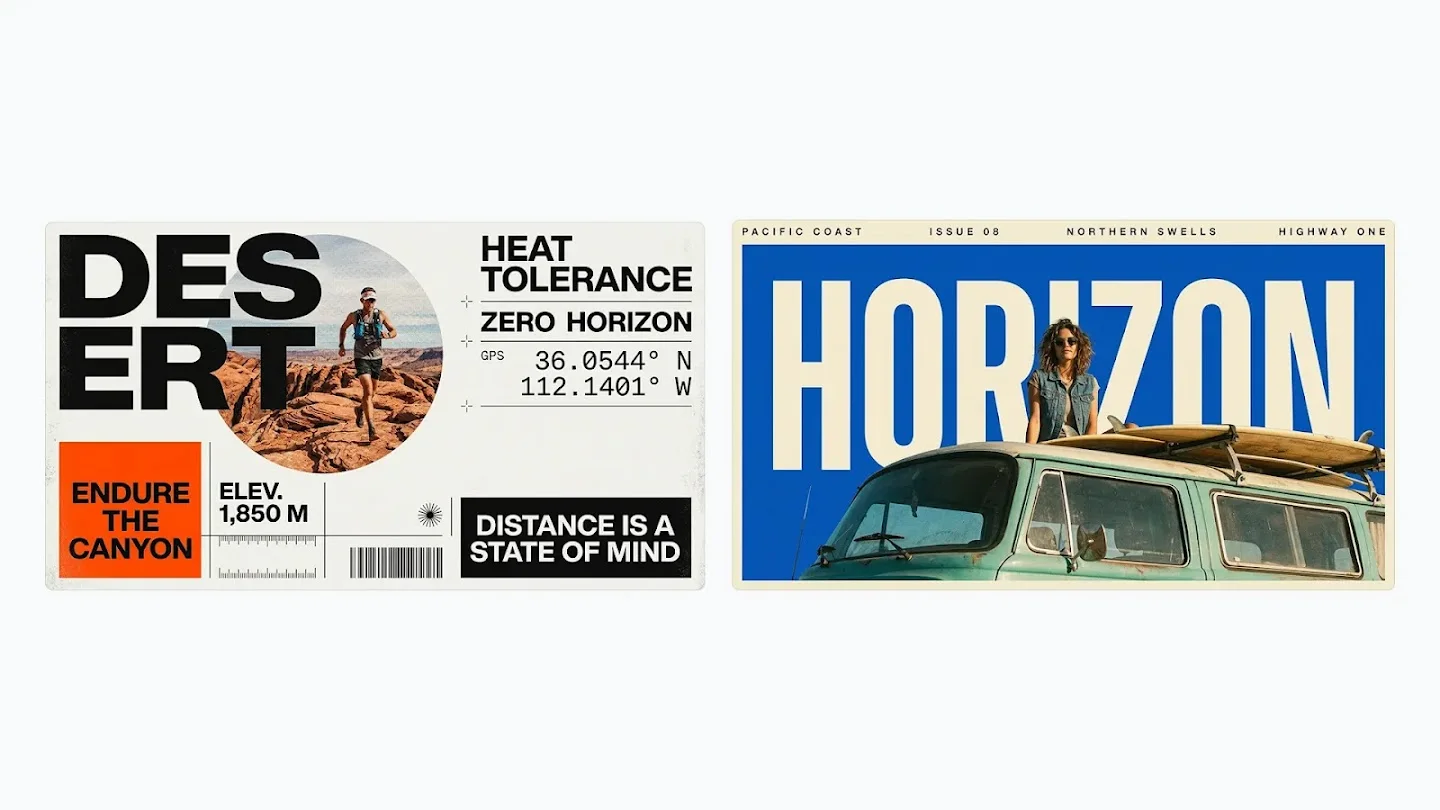
Google DeepMind Nano Banana 2.1 examples: desert running and coastal travel posters with bold typography

01 / TEXT & LAYOUT

Posters with a point of view

Give your headline a place in the composition. Combine a short message, a strong image, and a clear visual hierarchy.

Read the prompt

Create a landscape poster for a coastal running club. Use a cobalt blue and warm cream palette, a coastal photograph, and bold editorial typography. Render exactly "COAST CLUB" as the main headline and "RUN WITH THE TIDE" as the subtitle. Keep generous margins and add no other text.

Use this prompt

Vismuse prompt idea inspired by the example; not the original Google prompt.

Google DeepMind Nano Banana 2.1 reference image example: a peach handbag on geometric plinths, terrazzo blocks, and clouds

02 / REFERENCE IMAGE EDITING

One product. A new setting.

Start with your product photo and describe a new background. Name the shape, material, and color you want to preserve.

Read the prompt

Use my uploaded product photo as the reference. Preserve the product shape, color, material, and visible hardware. Place it on a warm cream geometric plinth with soft studio lighting and a pale peach background. Show the whole product. No added text, logos, or extra products.

Use this prompt

Upload your own product photo after opening the workspace. This is a Vismuse prompt idea.

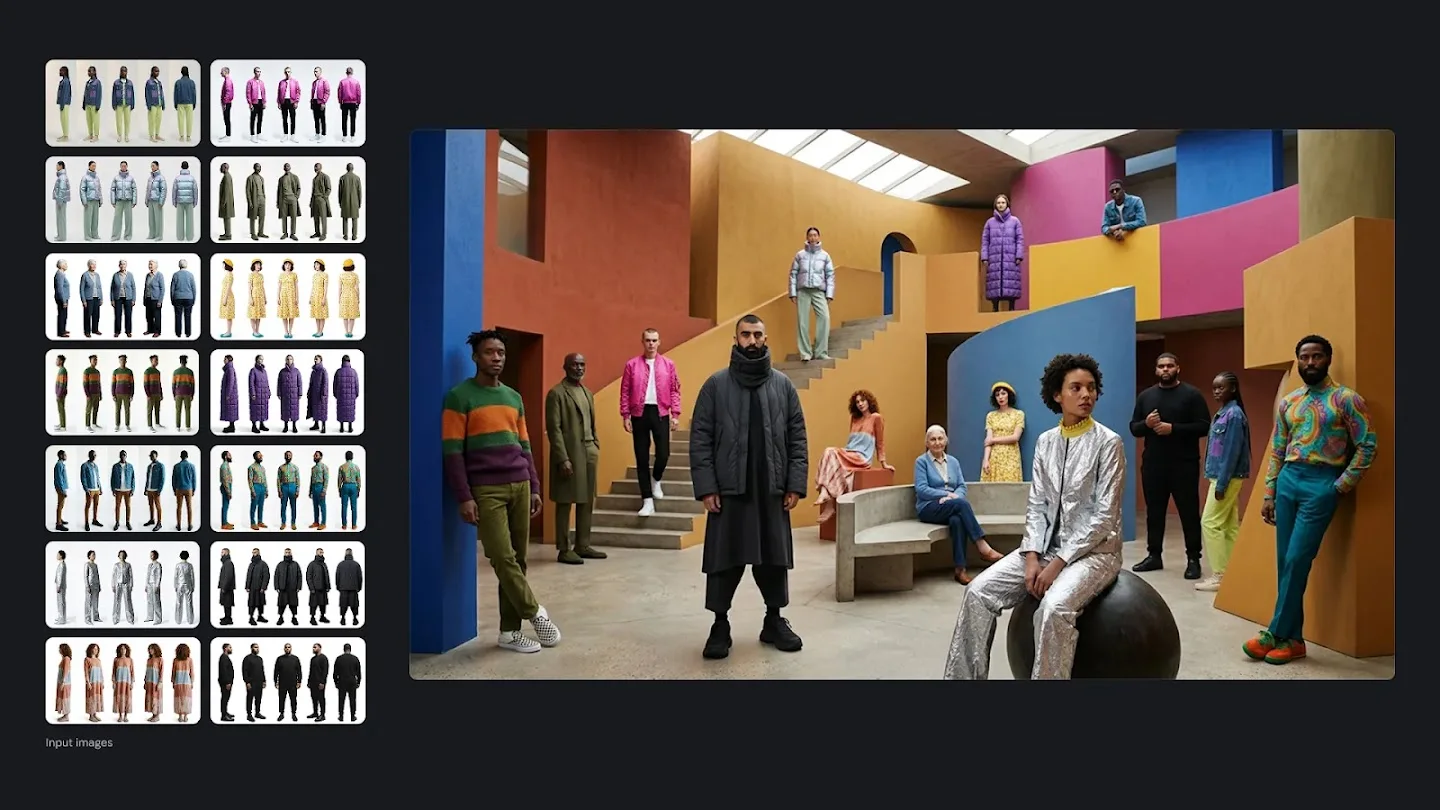
Google DeepMind example combining fashion reference subjects in one colorful architectural scene

03 / SUBJECT & COMPOSITION

References that belong together

Give each reference a role, then describe the shared setting and framing. Review faces, clothing, and details in the result.

Read the prompt

Use my uploaded portrait as the subject reference. Keep the face, hairstyle, and clothing recognizable. Place the person in a colorful architectural courtyard with cobalt blue walls, ochre stairs, and soft daylight. Create a full-length editorial photograph with a balanced composition.

Use this prompt

Upload your own portrait after opening the workspace. This is a Vismuse prompt idea.

Image credit: Google DeepMind. View the official Nano Banana showcase.

FROM A BRIEF TO A VISUAL

Create and edit images with Nano Banana 2.1

Google’s update focuses on clearer visual design and more faithful edits. Turn those capabilities into a focused creative brief.

01

Make words part of the design

Describe where a headline belongs and how it should feel. Keep copy short and check the spelling in the finished image.

02

Give references a clear role

Use a photo for the subject, a second image for the setting, or a visual for the style. Explain what each contributes.

03

Refine one detail at a time

Ask for warmer light, a cleaner background, or a new color. State which subject details and layout should remain.

Model capabilities: Google’s Nano Banana 2.1 documentation. Available controls depend on the workspace.

A SIMPLE START

How to use Nano Banana 2.1 prompts online

  1. 01

    Choose your direction

    Pick a prompt above or write your own. Include the subject, purpose, style, and composition.

  2. 02

    Open AI Image Maker

    Your chosen prompt comes with you. Add your own photo for a reference-based idea and review the available settings and credit cost.

  3. 03

    Generate and review

    Check the image against your brief. Inspect text and subject details before downloading or asking for a revision.

Open AI Image Maker

KNOW THE DIFFERENCE

Nano Banana 2.1 vs Nano Banana 2 and Pro

Versions describe different model choices. A more recent version is a reason to compare results on your own brief.

Nano Banana model families, based on Google’s model documentation
ModelPositionWhat to compare
Nano Banana 2.1Updated efficient image modelText, visual quality, and consistency across edits
Nano Banana 2Earlier Flash image modelYour existing prompts and reference workflows
Nano Banana ProSeparate Pro image modelComplex briefs, fine details, and available cost options

Read Google’s model details. Check the current generation options in your workspace.

BEFORE YOU CREATE

Nano Banana 2.1 FAQ

Prompts, image editing, resolution, and credits.

Explore Vismuse pricing
What is Nano Banana 2.1?

Nano Banana 2.1 is Google’s October 2026 update to Nano Banana 2 for image generation and conversational image editing. Google highlights improvements to visual quality, prompt adherence, text rendering, and consistency across revisions.

How can I get started on Vismuse?

Open AI Image Maker or choose a prompt on this page. The prompt is carried into the workspace, where you can add your own reference image and review the available generation settings. This page does not select or guarantee a particular generation model.

Is Nano Banana 2.1 free?

Browsing this guide and using its prompt ideas is free. Image generation on Vismuse uses credits. Check the current account allowance and the cost shown in the workspace before generating; see the pricing page for plan details.

Can Nano Banana 2.1 edit an uploaded image?

Google documents both image generation and editing. For a useful editing prompt, name the change and the details to preserve. In Vismuse AI Image Maker, upload your image before using a reference-based prompt.

Does Nano Banana 2.1 support 4K images?

Google lists 1K, 2K, and 4K output for the model. The output settings available through a particular product can differ. Check the resolution options in the Vismuse workspace before submitting.

How is Nano Banana 2.1 different from Nano Banana Pro?

Nano Banana 2.1 updates the efficient Flash image model family. Nano Banana Pro is a separate model. Choose based on your task and the settings available in your workspace; compare real outputs instead of assuming one model is best for every image.

How do I write a good Nano Banana 2.1 prompt?

Describe the subject, purpose, composition, lighting, and visual style. Put short text you want in the image in quotation marks. For a reference, explain its role. For an edit, state what should change and what should stay the same.

Can I use generated images commercially?

Review Vismuse’s current terms for business use. Use references you have permission to use, and check generated text, logos, people, and product details before publishing. The official Google examples shown here are credited source material, not downloadable Vismuse templates.

MAKE SOMETHING YOURS

Give your next idea an image.

A product scene, a poster, a new creative direction. Start with your brief.

Open AI Image Maker
AI Image GeneratorGPT Image 2.5Product Ad GeneratorAI Flyer Generator
Vismuse

Create and edit images and videos through conversation—no traditional editor required.

Product

AI Image GeneratorAI Video GeneratorAI Image to Video GeneratorAI Animation GeneratorAlbum Cover MakerProduct Ad MakerAI Flyer Maker

Templates

All TemplatesFlyer TemplatesAlbum Covers

Resources

Help CenterDocsToolsPricing

Company

Contact supportAbout VismuseAcceptable UsePrivacyTermsRefund PolicyCookies
© 2026 Vismuse. All rights reserved.