
Add two portraits
Upload yourself first and your partner second, or reverse the order if you want to swap roles. Use one clear adult face per photo.
TWO PHOTOS. ONE ZOMBIE LOVE STORY.
Watch a human recognize and embrace their zombie-transformed partner. Add two portraits to create your own zombie reunion story with sound.
Photo 1: the human survivor. Photo 2: the partner who appears infected in the cabin.
Use two separate adult portraits you have permission to use. Paid credits required; check the cost before generating.
THE EXAMPLE
These original adult portraits supplied the identities for the 10-second example above.
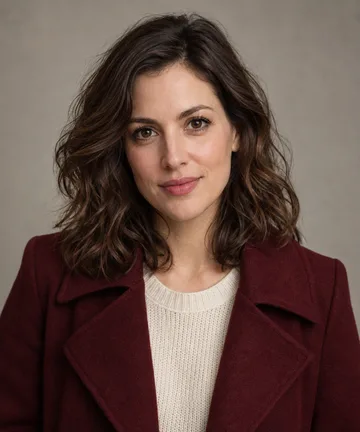
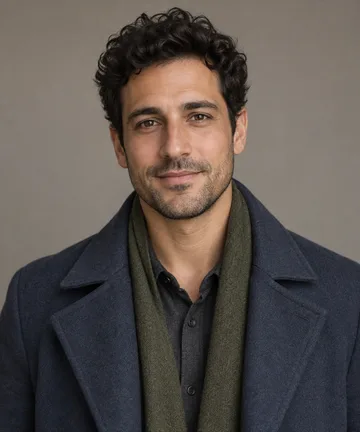
She sees the change in his face, recognizes him, touches his cheek and chooses to hug him. This example holds the embrace in one setting. The built-in story also adds a warm meadow memory.
Try it with your photos →THE STORY
The first photo is the human survivor. The second becomes the infected partner in a shadowy cabin. The survivor cannot bring themselves to fire, lowers their guard, and opens their arms. A leap cuts into a golden meadow, where the same partner is healthy and the embrace becomes a memory from before the infection.
THREE STEPS
The cast and story are ready. Your two photos supply the faces.
Upload yourself first and your partner second, or reverse the order if you want to swap roles. Use one clear adult face per photo.
Select landscape or vertical and an available duration. The workbench shows the credit cost before you start.
The built-in story creates the cabin encounter and memory ending with AI sound. Watch the full clip, then download the version you want to share.
WHAT YOU'LL SEE
The survivor sees their infected partner and recognizes them beneath the change.
Fear gives way to affection. The survivor lowers the weapon; nobody fires it.
The second partner leaps toward the survivor. The shot changes before they meet.
The leap ends in a sunlit meadow, with both partners healthy and together.
PHOTO GUIDE
Use a clear portrait of the adult who stays human throughout the video.
Use a separate portrait of the adult who looks infected in the cabin and healthy in the memory.
Either partner can take either role. Upload order decides it, regardless of gender. Use photos you have permission to use.
questions
Open the couple story workbench and upload one clear portrait of each adult. Photo 1 is the survivor who stays human; photo 2 is the partner who appears infected in the cabin. Choose an available format and length, check the credit cost, then generate.
Yes. The second uploaded photo becomes the infected partner in the cabin. Swap the photo order to swap the roles. The first person stays human throughout.
Use two separate photos, with one clearly visible adult face in each. The workbench uses them as identity references for the two characters, not as the first or last video frames.
No. The couple story already includes the cabin encounter, the leap, and the warm meadow memory. You can request a specific change in the same chat after reviewing the generated video.
No. Only the person in photo 2 appears infected in the cabin. That same person is healthy in the meadow scene because it is a memory from before the infection.
Video generation uses paid credits. The workbench shows the cost before you generate, and each new version also uses credits.
The example shows the intended story, but generated faces, hands, timing, and transitions can vary. Watch the whole result before sharing it.
YOUR STORY STARTS WITH TWO PHOTOS
Choose who stays human, choose who turns, and see your story move from the cabin to the meadow.