
Studio solo
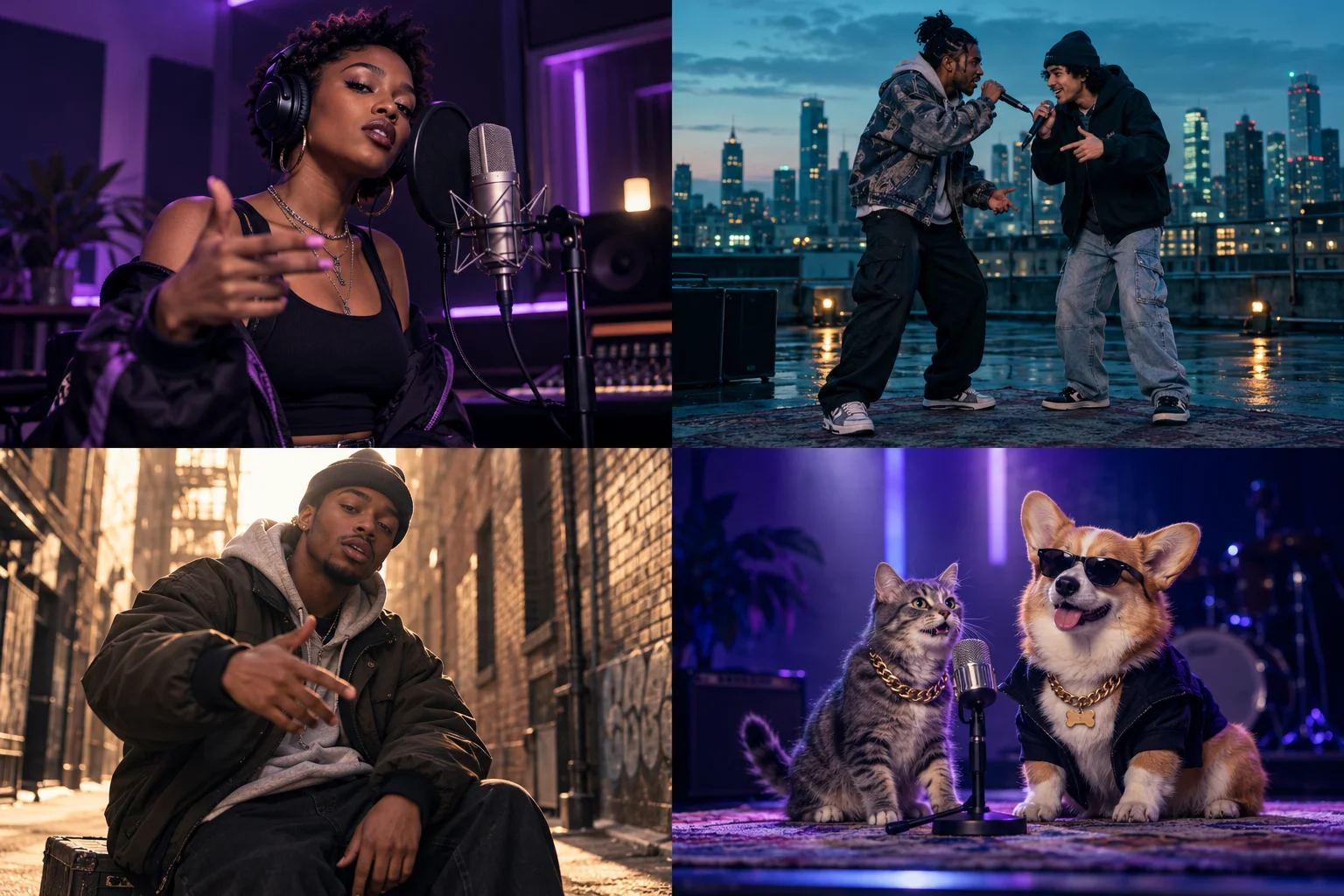
One performer, an intimate mic setup and a verse with attitude. Try soft violet lighting and a slow camera push-in.
Use this directionYOUR CAST. YOUR SCENE. YOUR FLOW.
Give your rap idea a world of its own. Create a studio solo, trade verses on a rooftop, take a freestyle to the street or put your pets on the mic. Start with an idea and make the cast, scene and performance yours.
A STAGE FOR EVERY IDEA
Start with a scene direction, then change the cast, lighting, delivery and camera to fit your idea. These AI-generated concepts give you four places to begin.
One performer, an intimate mic setup and a verse with attitude. Try soft violet lighting and a slow camera push-in.
Use this directionTwo performers trade lines above the city. Give each a distinct look and keep their interaction at the center of the shot.
Use this directionTake the performance outside with warm street light, relaxed gestures and a close, handheld music-video feel.
Use this directionCast your cat or dog in a playful music scene. Start with a clear animal photo and describe the stage and energy.
Use this directionFROM IDEA TO PERFORMANCE
Pick a solo rapper, a duo or a pet performance. Set the scene in a recording studio, on a rooftop, in the street or on stage.
Add a topic, your own short lyrics, or a direction for the outfit, beat and camera. Continue to Video Studio to add optional reference photos and adjust the available resolution, aspect ratio and duration.
Set the available resolution, aspect ratio and duration. Generation uses credits; check the pricing page for credit rules. Generate, watch your result and download your favorite version.
MAKE IT PERSONAL
Start with a name, an inside joke and one short line. Set your performer in a colorful studio and ask for a playful delivery.
Write a line for each performer. Give the duo different outfits and clear turns so the back-and-forth is part of the visual direction.
Build a visual around your next hook: late-night streets, a close-up at the mic or a cinematic rooftop scene. Keep one mood across the clip.
BRING YOUR OWN TRACK
Upload your song to Music Video Studio, select a short excerpt and describe its visual world. Start with your artwork, a character image or the mood of your track.
Studio assembles visuals with your selected audio segment. Exact beat edits, lyric captions and precise performance lip-sync may need a separate editor.
Explore song-to-videoWANT A RECOGNIZABLE TREND?
These dedicated effects include their own performance setup and soundtrack. Watch earlier Vismuse-generated examples, then open the matching tool.
Two portraits, an orange studio and the included trend soundtrack. A ready scene for a shared-mic performance.
Try this effectOne photo puts you in the lead of the street freestyle. Use the dedicated effect for its included performance and sound.
Try this effectExplore a solo freestyle, a two-person rap exchange, a pet performance or visuals for a rap track. Start with the creative brief above, add photos in Video Studio if you want to guide the cast, and adjust the available resolution, aspect ratio and duration for your clip.
Choose your cast and scene above, then continue to Video Studio. Add a clear photo showing the subject's face and outfit, refine the direction and choose the available settings. Generation uses credits; see the pricing page for credit rules.
Yes. Include a short original line or verse in your idea. It becomes part of the request in Video Studio. Generated wording, rhythm and vocal delivery can vary; review the result before sharing.
Describe the original rap vocals and beat you want in your brief. Generated music, vocals and lyric accuracy can vary; listen to the result before sharing. For an existing recording, use the separate Music Video Studio workflow below.
Choose Rap duo and describe how the pair trade lines or react to one another. Add separate reference photos in Video Studio to guide their appearances. Check both faces and each person's role throughout the generated clip.
You can explore recording studios, rooftops, streets, live stages and other settings through your brief. Hotel Lobby is a separate ready-made effect for the recognizable orange-studio scene and its included soundtrack.
Use the Music Video Studio link below for an existing rap track. Upload your audio and describe the visual story. That workflow creates short visuals around your chosen song segment; exact beat cuts, lyric captions and precise singing lip-sync may need an editor.
The first step on this page prepares your creative brief. Video generation uses credits; see the pricing page for credit rules. Duration and resolution can affect credit usage. The ready-made effects have their own settings and credit requirements.
Pick the people, set the scene and start building a rap video in your own style.
Build your rap video