
The video supplies the performance
The party scene and moves are ready. You do not need to describe them.
Your photo. The original performance, recast.
Step into the Burning Bridges party with one photo. Make a 5- or 10-second video starring you, with the original sound included.
PHOTO TO VIDEO
Her curly hair and turquoise outfit carry over from the photo to the party scene.
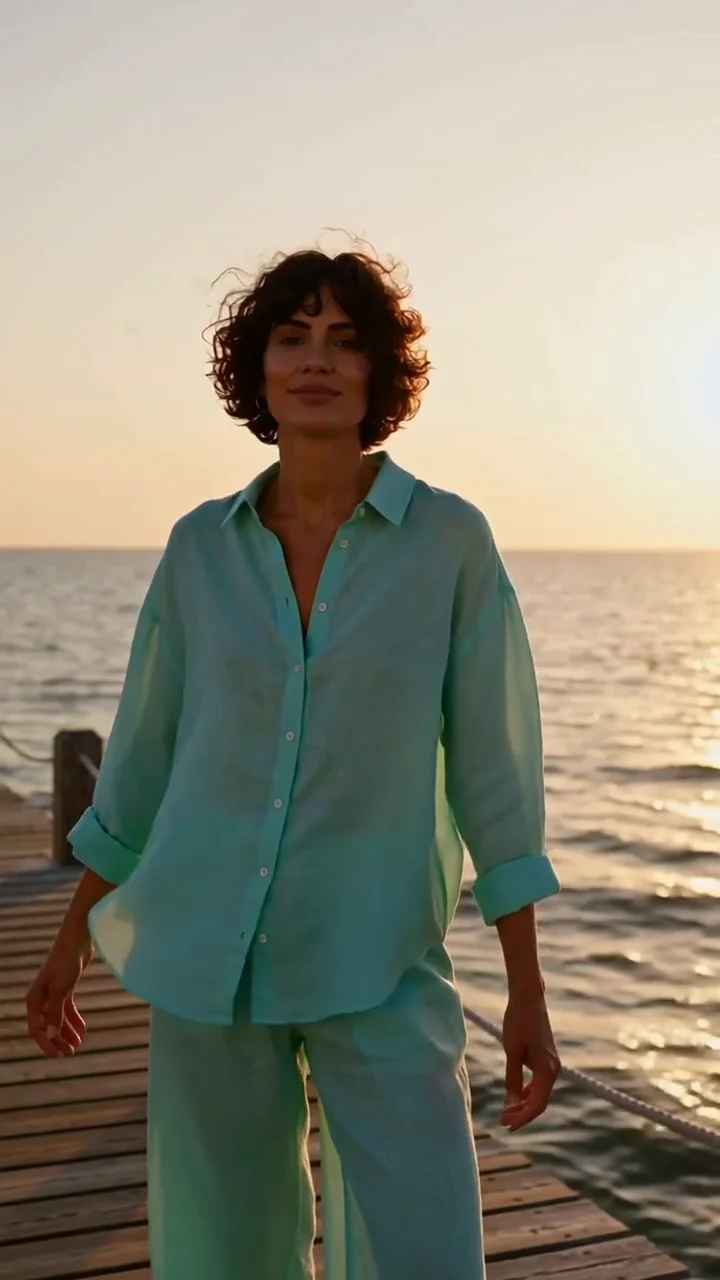
An AI character with curly hair and a turquoise outfit.
The character takes the lead in the party.
This demo uses a different 5-second clip and new music. The template above includes the original sound.
See how this example was madePreview the party scene your video will follow.
The party performance, with its original sound.
10 seconds · LandscapeUse this templateTHE PARTY TREND
Burning Bridges AI puts you at the center of the party performance. Your photo provides the face, hair and outfit; the included video guides the moves.
Warm chandelier light, a lively crowd and a metal cup set the scene. The trend is about taking the lead in that familiar party moment with your own look.
Upload a clear photo of one person, with their face and outfit visible.
The party video is already included. No prompt needed; add a short instruction only if you want a change.
Choose 5 or 10 seconds and check the credit cost. Generate your video, watch it with sound and download your favorite take.
The party scene and moves are ready. You do not need to describe them.
Your face, hair and visible clothing guide your look in the video.
Want a small change? Try ‘Use warmer lighting’ or ‘Keep my blue jacket.’
GET A CLEARER FIRST RESULT
Burning Bridges AI puts you at the center of the party performance. Your photo provides the face, hair and outfit; the included video guides the moves.
One clear photo of one person. It changes the lead performer; you cannot replace individual people in the crowd.
It creates an AI video using your face, hair and outfit, with the party clip guiding the performance. Faces, hands and movement can vary, so review the finished video before sharing.
Your downloaded video includes the original sound from the party clip. Mouth movements may not match the words exactly.
You can watch the examples for free. Making a video requires credits from a paid plan or credit pack; free trial credits cannot be used. Check the cost before generating. Each new version also uses credits.
Choose 5 seconds for the opening of the party clip, or 10 seconds for the full included scene.
Yes. Add a short instruction, such as ‘Use warmer lighting.’ Leave it blank to follow the included party scene. Larger changes may look less like the example.
Use a clear, front-facing photo with your outfit visible. Try the included scene first, then ask for one specific change in the same conversation if needed.
Yes. Download the MP4 when it is ready. Videos are landscape by default; crop yours or add it to a vertical canvas for Reels or TikTok. Use photos and music you have permission to share.
Need credits? See Vismuse pricing.
Your turn in the spotlight. Start with one clear photo.
Make your video