
Church flyers
How to make a church flyer with AI
Create a welcoming invitation for a service, revival, youth ministry, fundraiser, or community event. Start with verified details, then build and refine your flyer through chat.
Explore Church Flyer Maker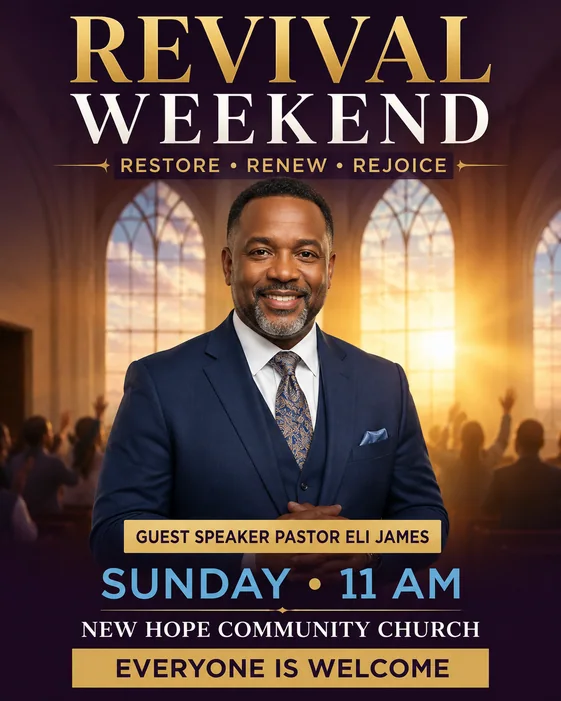
1. Gather the service and invitation details
Decide who the flyer is for and what you want them to do: attend a service, register for a youth event, join a ministry, volunteer, or support a fundraiser. Keep that invitation clear.
Confirm every name, date, service time, address, and contact detail with the organizer. For a recurring service, state the weekday and time; for a special event, include the full date.
- Church name and event or service title
- Full date, start time, and recurring schedule when relevant
- Venue name and address, or verified livestream URL
- Speaker or ministry name if needed
- One invitation, RSVP, registration, or donation action
2. Choose a church flyer template and approved images
Browse church flyer templates for an initial direction. A Sunday service invitation may need a calm, welcoming layout; a youth event can use brighter colors; a revival or special program should keep the theme and schedule prominent.
Use your approved church logo, venue photo, or speaker portrait when useful. Explain which image is the logo and which should be the main visual. Avoid using unrelated event imagery just because the layout looks attractive.
3. Generate a first draft with the exact wording
Replace the bracketed fields in this prompt with the approved copy. Add your photos or logo in AI Flyer Generator, choose a portrait or social format, and send the brief to generate a first draft.
Give the service title, time, and venue a clear reading order. Keep longer schedules and ministry explanations on the event page rather than crowding them into the flyer.
4. Review, refine, and share the church flyer
Check the church name, speaker name, date, time, address, and contact information across the whole image. Read the invitation at phone size and confirm that newcomers can understand where to go and what to expect.
Request a focused change in the same chat, such as “Keep the church logo and service title. Make the service time larger and replace the address with [VERIFIED ADDRESS].” Each revision produces a new image, so review all details again.
Download as PNG or JPG, or export an eligible original as PDF. The PDF preserves the generated image’s aspect ratio. Confirm paper dimensions, resolution, bleed, and printer requirements separately.
Church flyer FAQ
What should a church flyer include? Start with the church and service name, full date and time, location, contact information, and one clear invitation. Add speakers, ministry details, or registration conditions only when attendees need them.
Can I make youth ministry, revival, and fundraiser flyers? Yes. Describe the audience and event, provide the approved copy and images, and adapt the visual style to the occasion.
Can I use my church logo or a pastor’s photo? Upload an approved image with the brief and identify its role. Explain what must remain recognizable, then check the generated result before publishing.
Tips
- Make the service time and location easy to find.
- Use one clear invitation instead of several competing actions.
- Check registration and livestream links separately; text inside a flyer image is not clickable.
Related resources
- Church flyer templates — Browse a church flyer starting point and customize its prompt.
- Church Flyer Maker — Plan service, ministry, and outreach flyers with examples and prompts.
- How to make a flyer — Read the broader creation and review workflow.
- Edit a flyer with AI — Update copy or visual details in an existing flyer.