
Your photo. A birthday worth celebrating.
Champagne Birthday AI Video Generator
Turn one photo into a Champagne Birthday AI video. Choose your scene, take a seat, pop the bottle and watch the image turn black and white. Your 10-second vertical video includes the original sound.
Create your birthday video
Creating a video uses paid credits. Check the cost before you start.
Generated demo
What is the Champagne Birthday AI effect?
Champagne Birthday AI turns a person photo into a short birthday celebration: arrive with a bottle, take a seat, let the champagne spray upward and finish in black and white. The bottle spray and color change give the birthday champagne trend its recognizable look across the seven selectable settings.
This birthday video puts your appearance in the chosen scene. Your photo guides the face, hairstyle and visible outfit; the celebration is already planned. You can join the effect without filming yourself opening a real bottle.
Choose a garden bench, night park bench, city stone ledge, sunset rooftop, sunset beach lounger, candlelit dinner or living room party. Night park bench is selected by default. The same birthday action sequence guides every scene.
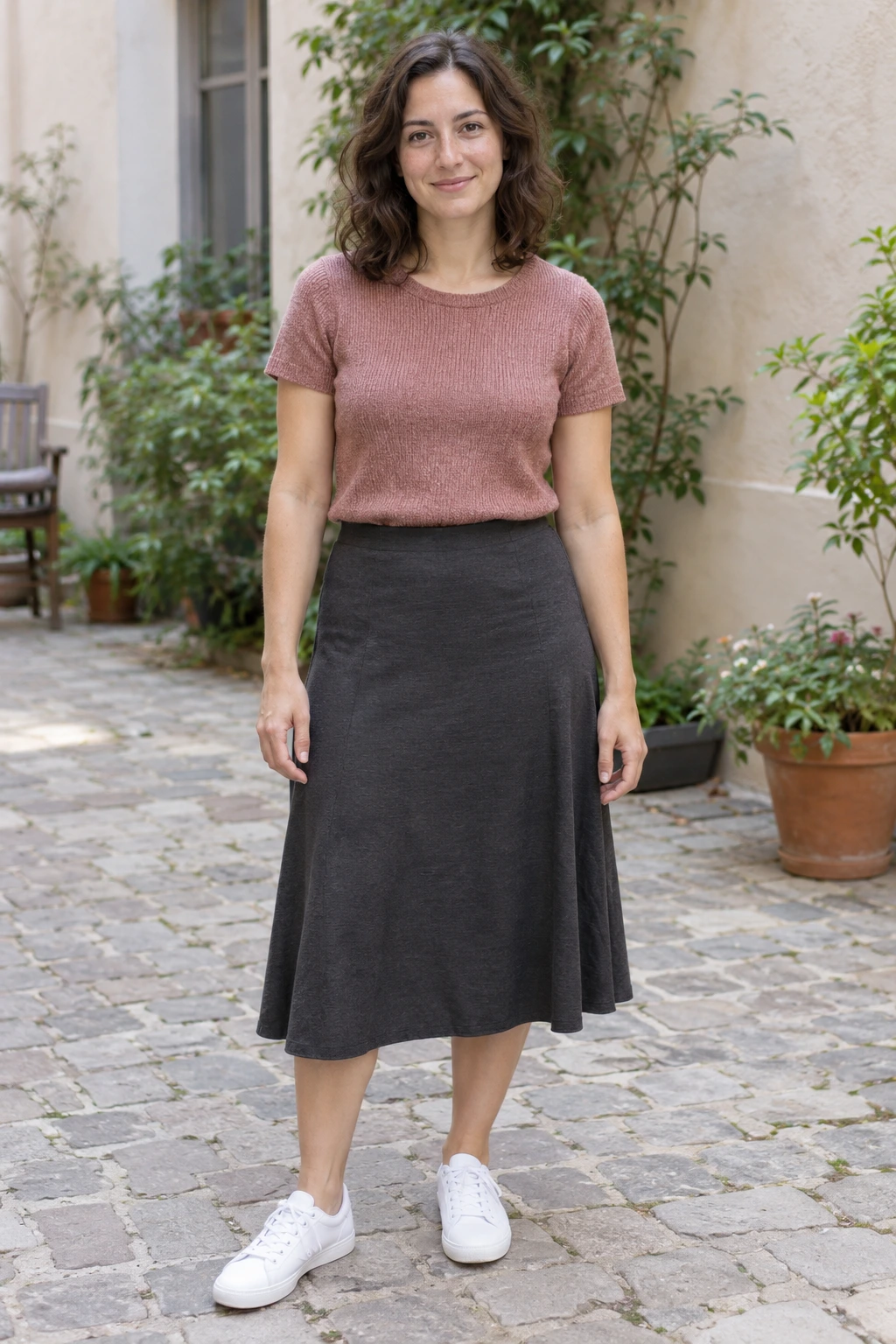
One photo, a new birthday celebration
This Vismuse-generated example uses a new fictional adult woman. Her pink knitted top, dark skirt and white sneakers carry into the night-bench scene. Watch the full example to see the entrance, seated pose, spray and black-and-white transition before you upload your own photo.
Champagne Birthday scene examples
See Vismuse-generated examples of two available scenes. Choose your scene in the form above; results can vary.
Candlelit dinner
Create your birthday video
- 01
Upload one adult photo
Choose a clear knees-up or full-body photo. Make sure the face, hairstyle and outfit you want are easy to see.
- 02
Choose a scene and add an optional request
Select one of seven scenes in the form. Leave the instructions empty, or mention details such as glasses, clothing or expression.
- 03
Create and download your video
Check the credit cost, create the video and watch the complete 10-second result with sound. Download the take you want to keep.
The champagne pop birthday video, scene by scene
Enter your selected scene
The person enters carrying one bottle and approaches the seat. The camera stays fixed with room above for the champagne spray.
Take a seat
The person turns toward the camera, sits on the chosen scene's seat and holds one bottle upright at their side.
Pop the bottle
The bottle base meets a firm surface beside the seat. On that single contact beat, champagne sprays upward and the whole image switches from color to black and white.
Finish the celebration
The seated person reacts and smiles while the spray falls. The clip ends in the same scene.
Which photo works best for Champagne Birthday AI?
Use one clear photo of an adult. The video shows more than a face, so include the outfit and body position you want to see.
- Choose a recent, well-lit photo with a sharp face and unobstructed eyes.
- A knees-up or full-body photo helps the video keep your clothing and proportions consistent.
- Wear the outfit you want in the result. Everyday clothes work as well as birthday party outfits.
- Keep one person in the photo and avoid heavy beauty filters, sunglasses or hands covering the face.
Make the birthday video your own
The birthday scene is already prepared. Upload your photo as it is, or add one request about your appearance. For example:
- Keep my glasses and natural hairstyle.
- Keep the pink top, dark skirt and white shoes from my photo.
- Use a relaxed smile and preserve my visible freckles.
Start with the included scene for the closest version of the effect. After watching the result, you can request a specific adjustment. Each new video uses paid credits.
Choose the birthday setting before writing a prompt
The seven scene choices already control the setting; you do not need a long description to get a rooftop, beach or dinner version. Use the optional text for your own visible detail. Add the birthday person's name, age or greeting after download. This keeps the bottle pop and black-and-white ending as the main visual moment.
Champagne Birthday AI: common questions
How do I make the champagne birthday trend from a photo?
Upload one adult photo and choose a scene. Your 10-second video shows the entrance, seated pose, bottle pop, champagne spray and black-and-white ending. You can also ask to keep a detail from your photo.
Do I need to upload another video or describe the scene?
No. The birthday celebration is already planned. Just upload one person photo and choose a scene.
Will it keep my face, hair and clothes?
Your photo guides those details. Choose a sharp photo with your outfit visible. Facial features, hand positions and clothing details can still vary, especially while the person turns or sits down.
Does the birthday video include sound?
Yes. The matching sound is included in the finished video. You do not need to upload or choose a song.
How long is the video, and can I download it?
Your video is 10 seconds long and vertical. Download it for TikTok, Instagram Reels, Stories or YouTube Shorts.
Can I add a caption in CapCut?
Yes. Download your birthday video, then add a caption or birthday message in CapCut or the app where you plan to share it.
Can I add my name, age or Happy Birthday text?
Add those words after downloading, using the app where you plan to share. The birthday scene leaves the wording up to you.
Does it cost credits to make a Champagne Birthday video?
Yes. Check the displayed credit cost before creating your video. Another video or requested change also uses credits; watching the example is free.